🌐 IMEI Service || Network Unlock || iCloud 🛒Server Service || FRP Credits || Box & Dongle Activation 🔰Rent's Digital Tool Service || ኪራይ ቱል 🗂️File Service Premium & Remote Service 👨💻 Service By Group
Remote Status✅ FRP Support List All Lates Tool Download All ANDROID USB DRIVER iCloud Remove FMI OFF
#6068 NCK Online Tool Digital – 2 Year Activation
Price
Login to show
Delivery
1-5 Miniutes
Status
Online
You must agree before submitting.
Digital product. No refunds, no returns.
Usually, the order is processed within 1/2 minutes from the moment when we have received your payment in fullActivation period: 1 months (30 days). No returns, no refunds.
Activation period: 3 months (90 days). No returns, no refunds.
Activation period: 6 months (180 days). No returns, no refunds.
Activation period: 3 months (90 days). No returns, no refunds.
Activation period: 6 months (180 days). No returns, no refunds.
Activation period: 1 Year (365 days). No returns, no refunds.
Activation period: 2 Year (730 days). No returns, no refunds.
Activation period: 2 Year (730 days). No returns, no refunds.
Register Here: https://nckonlinetool.com/registration/
Before Place Order Download Tool From Here : https://nckonlinetool.com/supported-models/downloads-2/
Check Supported Model list Here : https://nckonlinetool.com/supported-models/
How to buy
- Place your order at topunlocksite website
- When we process your order, we will send an activation code to your email.
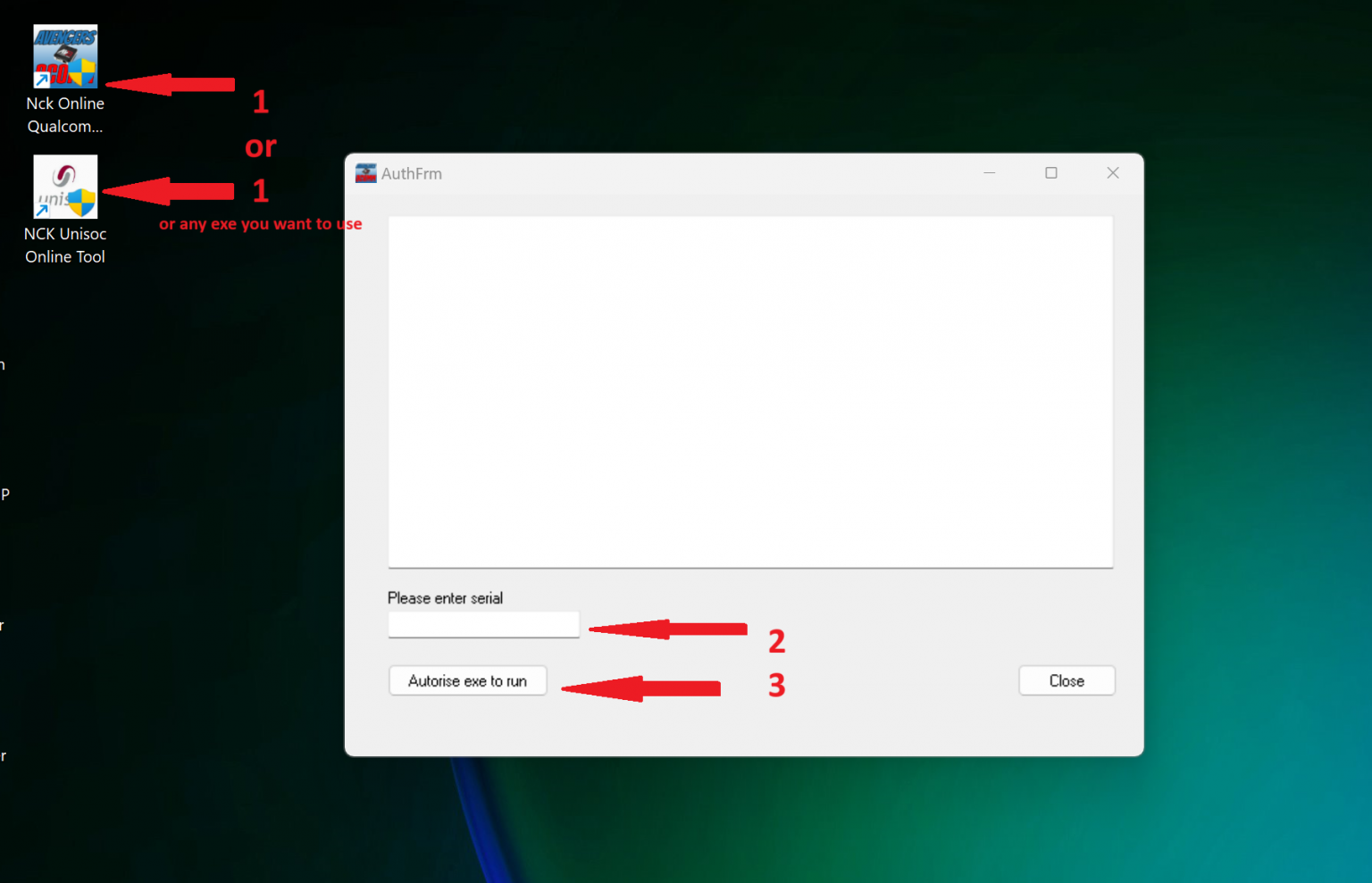
- Start the desired NCK Online Software. Download here: nckonlinetool.com/supported-models/downloads-2/
- Copy the code you received from us and paste it to the "Please enter serial" field (as shown below)
- Click Authorize exe to run
Detailed information on the further use of the digital product will be sent to your email, specified during registration, when we confirm your payment and process your order.
Product specifications, appearance and package content may differ from those presented on the website and can be changed without notice. Please, contact sales manager before purchase.
How to check your License?
Using NCK Online Qualcomm Tool
After Installing Qualcomm tool (This may apply to all Modules such as SPD unisoc, Samsung, MTK etc..
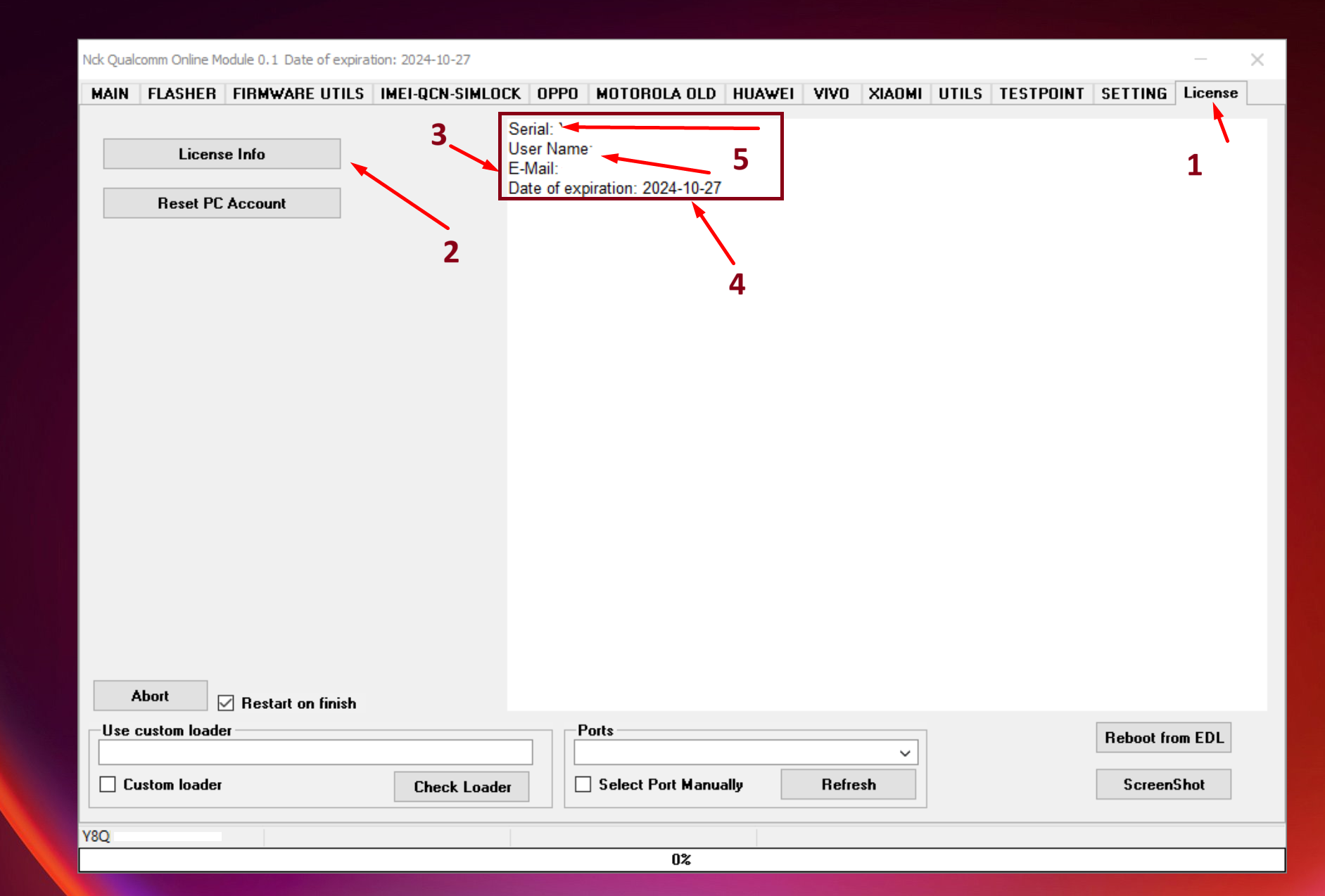
- Start desired NCK Online Software, once started with valid license, navigate to License TAB as shown in screenshot ==>>
- Click on License Info Button as shown in screenshot ==>>
- Your info will display in memo box, as shown in screenshot ==>>
- Date of expiry will show as shown in screenshot ==>>
- All other details are shown also such as email, name and license key as shown in screenshot ==>>
How to Reset license to use another PC?
- Start any of NCK Online Tool Software
- Go to License Tab
- Click on Reset PC Account
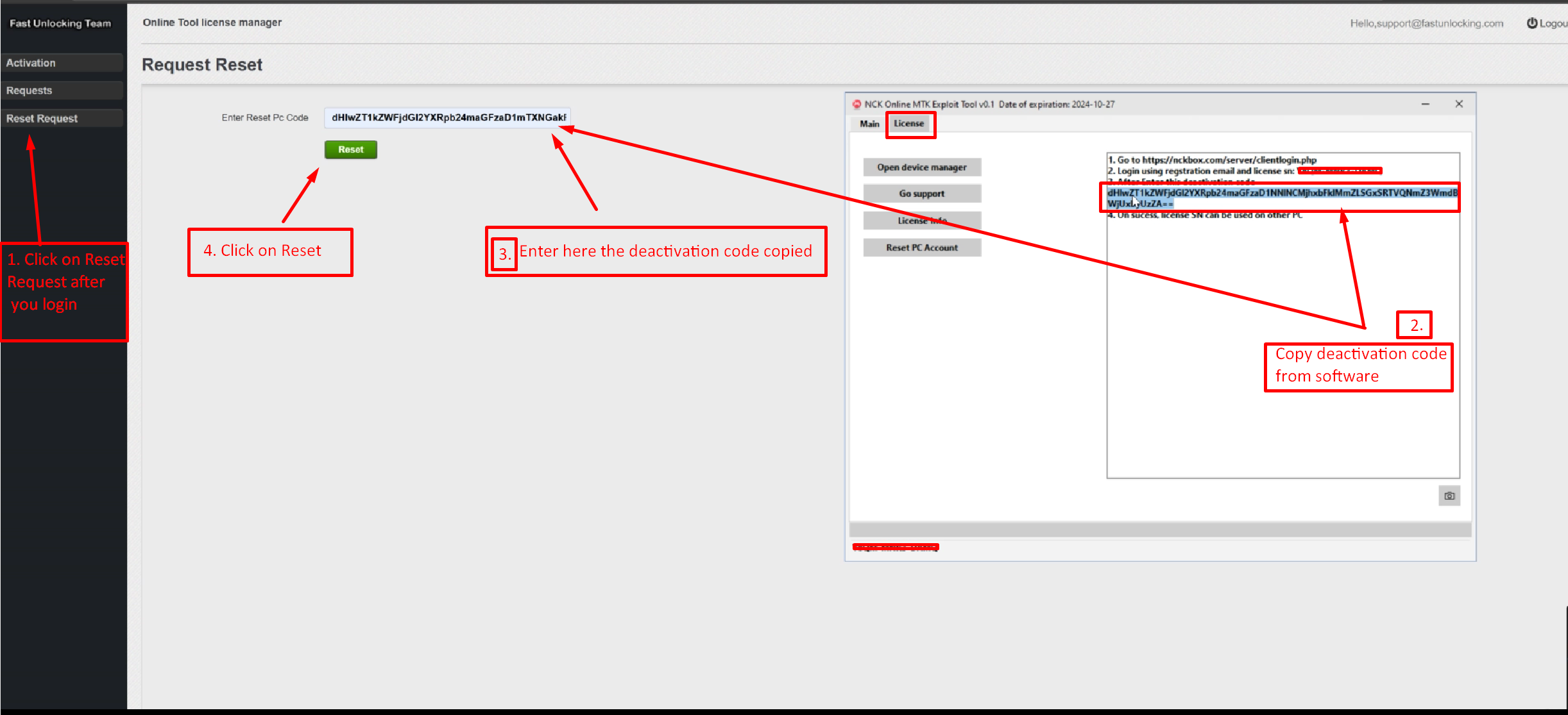
- Copy the 2 lines displayed deactivation code, and keep safe until you finish all steps.
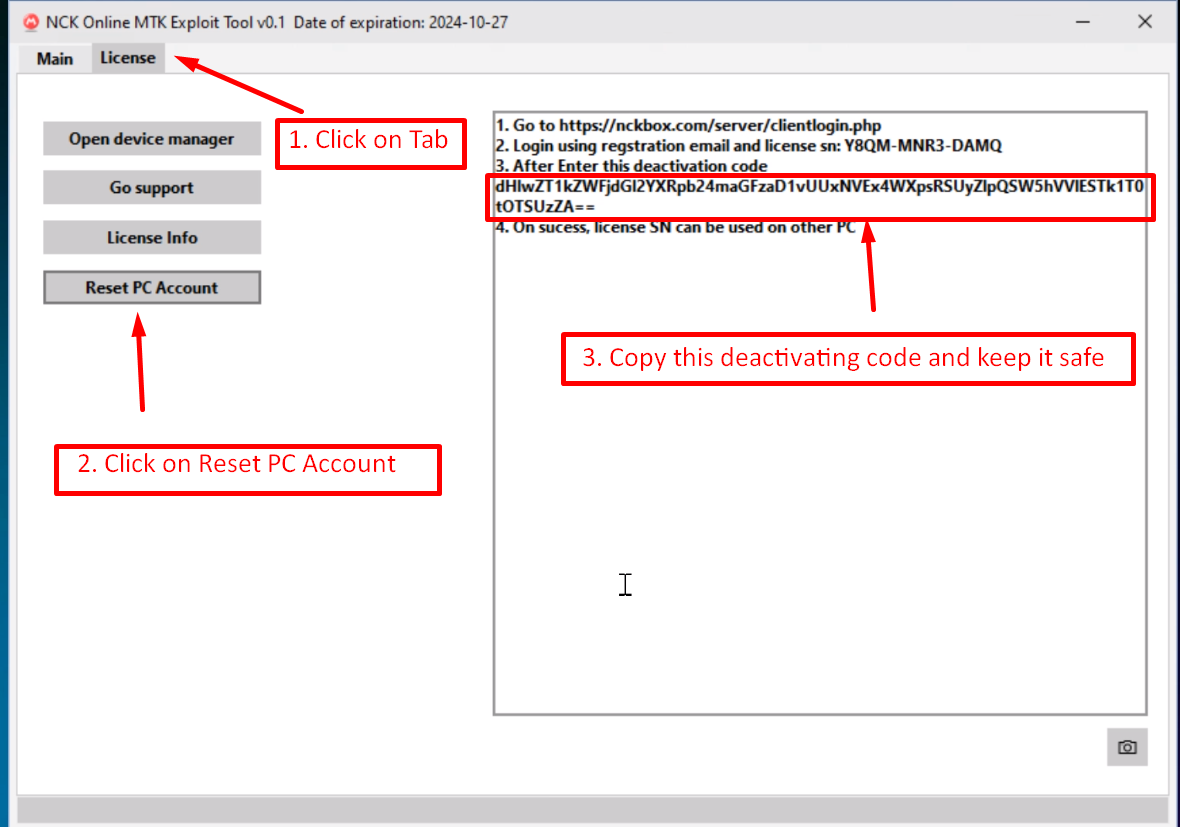
- Go to NCK Online Tool Website
- Click on Reset PC Login option on NCK Online Tool Home page.
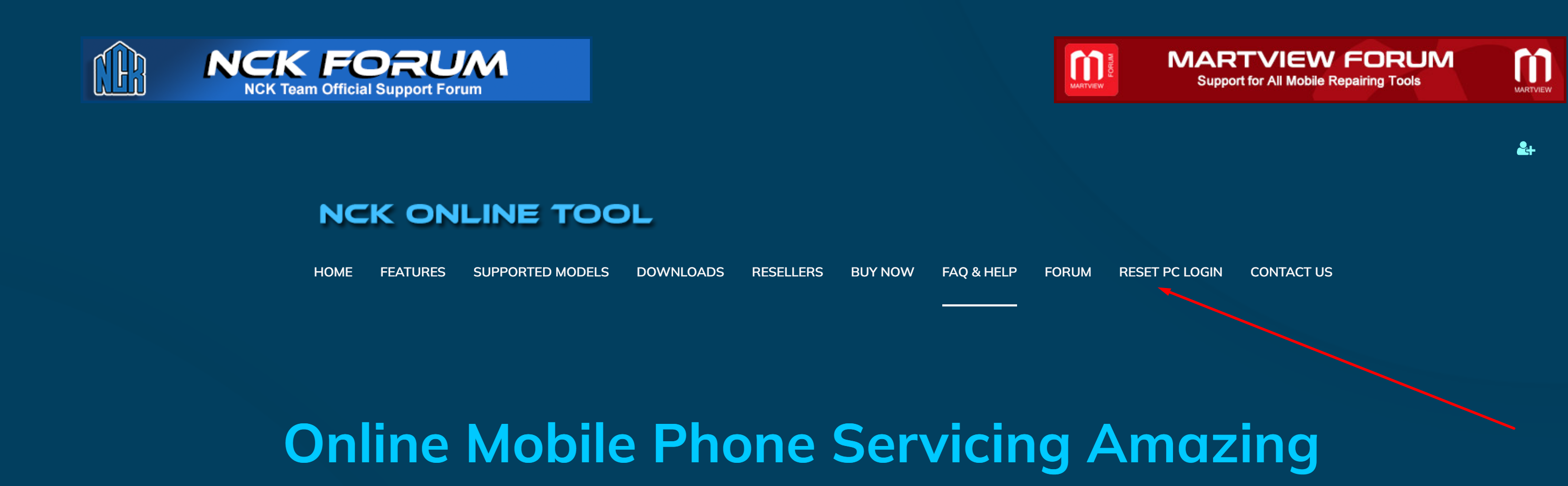
- Make sure you are redirected to correct login page as in screenshot
- Enter your registered email used when buying the license.
- Enter Activation code used to activate NCK Online Tool License
- Press Login
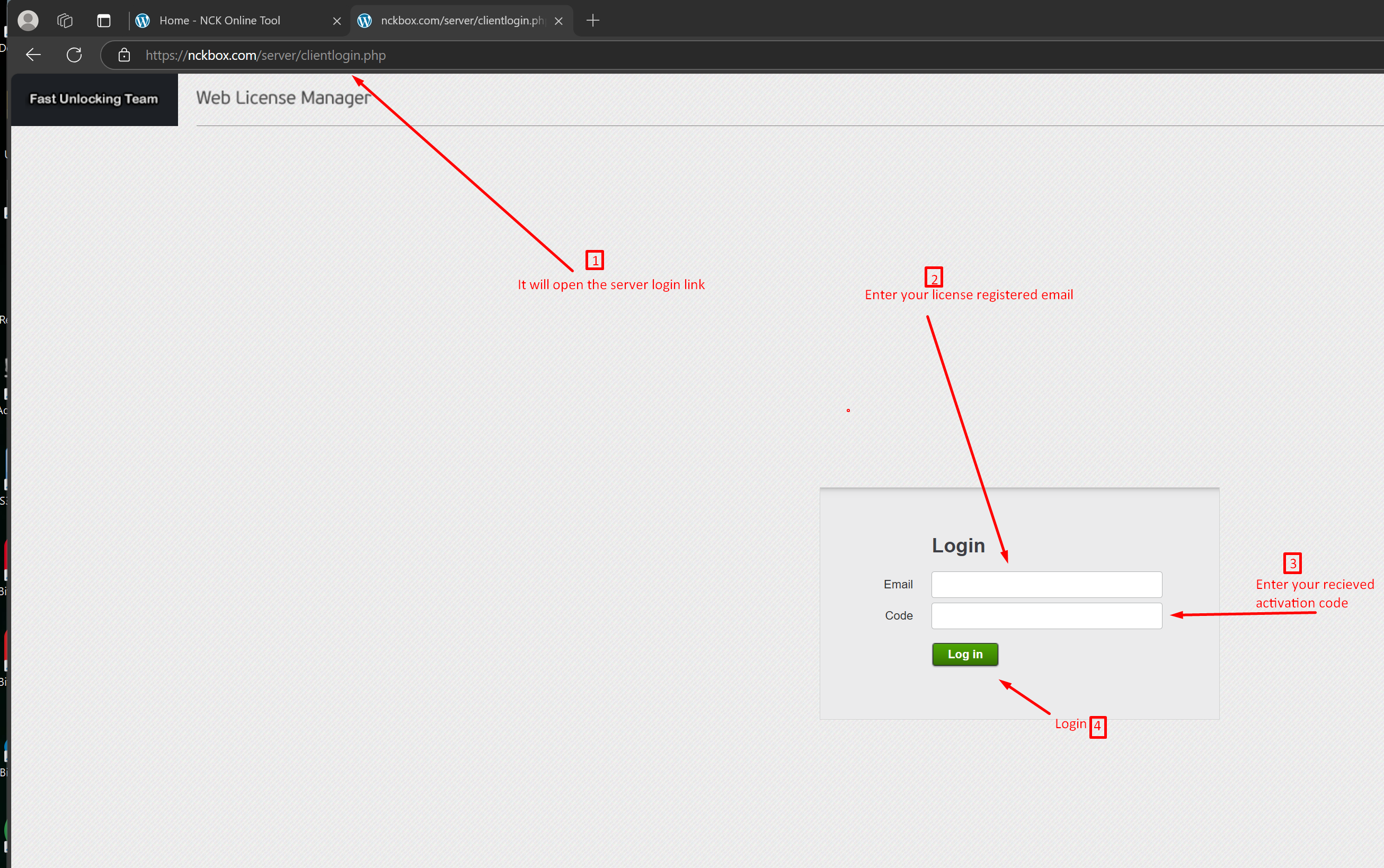
- Once you logged in ok do as follows
- Click on Reset Request on you top left corner list.
- Paste your copied deactivation code into the Enter Reset Pc Code field.
- Press Press Reset. and wait for success msg to be displayed.

Now All Done and your PC License has been reset ok, your next allowed Reset is after 7 days.